
https://www.fmdnqi.com/the-ultimate-2025-guide-best-phones-tablets-for-dell-pcs/
As a long-time Dell XPS user, I must admit that I’ve countless times envied Apple’s seamless, closed-loop ecosystem: copy text from an iPhone and paste it instantly on a MacBook; sketch a diagram on an iPad and sync it to the desktop in less than a second for further processing.
This silky-smooth experience, unlike any other cross-device experience, has led many Windows users to lament, “It feels like we’re still using cross-platform technology from 2015?”
But the Windows world in 2025 has quietly changed.
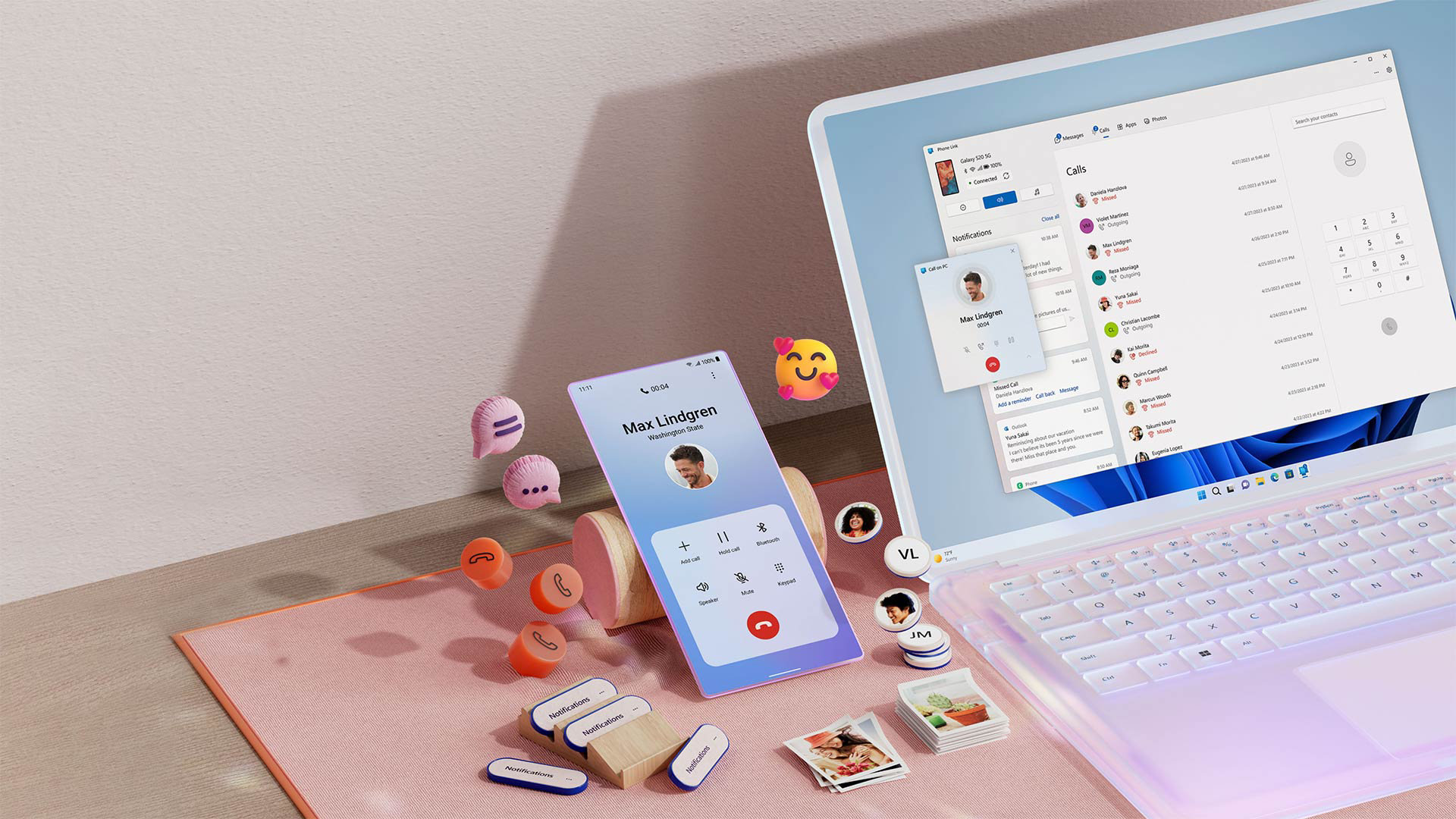
Although Dell doesn’t offer its own phones or tablets, the barriers between Windows and mobile devices are rapidly disappearing thanks to the maturity of Microsoft Phone Link and Intel Unison . If you choose the right phone or tablet for your Dell computer, you can build a “personalized digital universe” with a smooth experience comparable to Apple’s ecosystem.
Today’s 2025 mobile device buying guide for Dell computer users is for you—choosing a phone? Buying a tablet? Need cross-platform compatibility? I’ll break it down with practical experience so you can build your own ecosystem with your eyes closed.
I. What truly connects the devices is not the phone, but rather—Phone Link & Intel Unison
For the past few years, I’ve felt that the Windows + mobile experience has been underwhelming, until both technologies matured.
1. Microsoft Phone Link: A Native Perk for Android Users
If you’re using a Dell computer, Phone Link is already built into the system.
It offers excellent support for Android phones , especially the Samsung Galaxy series, providing a superior user experience.
What can it do?
Clipboard sharing (copy on phone → paste on Dell)
Application mirrors (WeChat, TikTok, and food delivery apps can be opened directly on your computer).
Mobile notifications and computer reminders
Drag and drop files directly into mobile apps (WeChat, DingTalk).
shortcoming?
The iPhone is too limited; it can only handle text messages, incoming calls, and a small amount of multimedia.
2. Intel Unison: A “lifesaver” for iPhone users.
Unison is one of my favorite Windows features in recent years; it finally makes the iPhone feel like a “worthy partner.”
Supports most new Dell models equipped with the Intel platform, including the following features:
Answer iPhone calls
Reply to text message
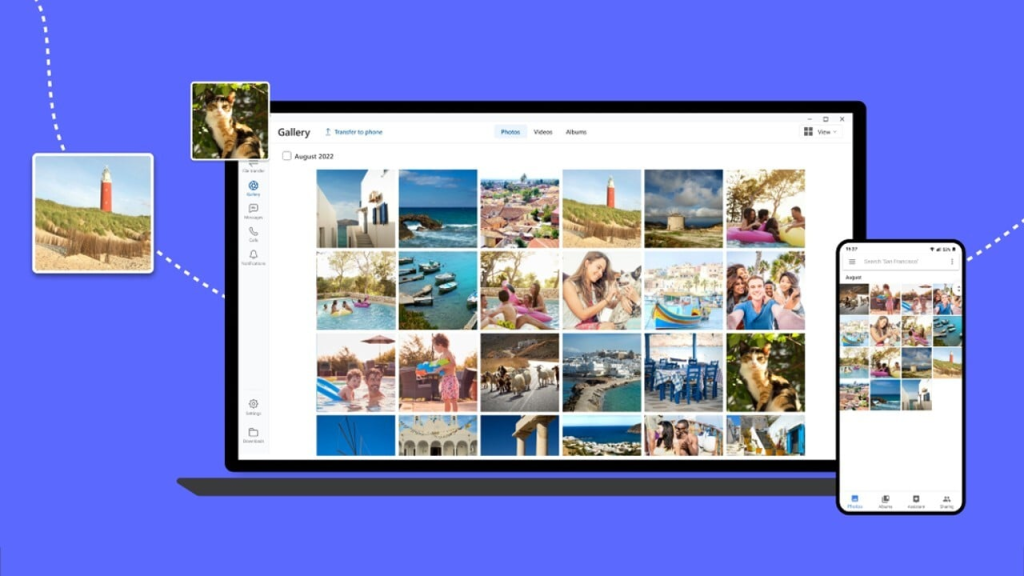
View photos and videos
One-click drag and drop of files on your phone
While it doesn’t quite reach the level of Apple’s AirDrop, as a cross-ecosystem capability that has emerged from scratch, it is already stable and easy to use.
Recommendation:
If you are an iPhone user, when buying a Dell computer, try to choose models that support Intel Unison (such as XPS 14, XPS 16, and the latest Inspiron series).
II. Best Mobile Phone Partner: Samsung Galaxy S Series
Honestly, if I could only recommend one phone to Dell computer users, I would unhesitatingly put the Samsung Galaxy S series first.
Why? Because it’s the only Android phone that’s deeply integrated with Windows at the system level .
① System-level “Connect to Windows” function
This isn’t just app-level compatibility; it’s written into the system’s underlying layers.
Turn on your computer → your phone automatically connects → notifications, photos, and apps sync without any delay.
② Samsung’s unique “killer feature”
Real-time Hot Topics
Dell computers don’t require you to turn on your phone’s hotspot; you can simply click on the computer’s menu to share your phone’s 5G network.
Application Image (Multi-Window Version)
It allows you to open 3-5 mobile apps simultaneously on your Dell screen and operate them like native windows.
I often:
Photo editing on the left
Open Xiaohongshu or TikTok on the right for reference.
of ordering takeout at the bottom
is ridiculously high.
Drag and drop files to the mobile app
Dell → WeChat on your phone, just drag and drop to send.
Users within the Apple ecosystem will be envious.
III. The Best Tablet Companion: What are the Actual Differences Between Android and iPad?
Among Dell users, the usual reasons for buying a tablet are:
Second Screen Office
Handwritten notes
Painting/Design
Lightweight creative work while traveling
I have personally used both Android tablets and iPads, and the advantages of combining them with Dell tablets are completely different.
1. Lenovo/Samsung Tablets (Android) – The Ultimate “Secondary Screen Tablet”
With SuperDisplay, Duet Display (Android version) , or Samsung Second Screen , you can instantly turn your Android tablet into a second Dell touchscreen.
My favorite experiences include:
Low latency (virtually no latency with USB-C connection)
Touchscreen supported (click the Window button directly on the secondary screen).
Ultra-lightweight dual-screen workstation for business trips (XPS 13 + Tab S9 = portable workstation)
For those who frequently work on the go, edit videos, or perform data analysis, it is the best value-for-money option.
2. iPad – The Ultimate Creative Tablet
Although the iPad cannot be as deeply integrated with Windows as Android, it has an advantage that Android can never catch up with: a professional productivity software ecosystem .
Procreate (illustration, sketching)
LumaFusion (video editing)
Notability / GoodNotes (Handwritten Notes)
Even though it requires relying on Duet Display for Windows to extend the screen, it remains the preferred choice for content creators or students.
IV. If you are an iPhone user: This guide is your “avoidance of pitfalls” manual.
More than once, friends have asked me:
“I use a Dell XPS, but I don’t want to replace my iPhone. What’s the best combination?”
The following is a summary of my own experience.
1. Make sure your Dell computer supports Intel Unison.
By supporting Unison, you can:
View iPhone Photos
Wireless file transfer
Answer the phone
Synchronized messaging (including iMessage)
This is currently the highest bandwidth connection method for iPhone + Windows, bar none.
2. Should I choose an iPad or an Android tablet?
My suggestion is:
If you do a lot of office work on a Dell: Buy an Android tablet as a secondary screen.
If you create a lot of content on a tablet: Buy an iPad
If you do both:
�� The best combination is iPhone + iPad + Dell (with Unison).
Although it’s not a complete closed loop, the experience is smoother than you might imagine.
V. Optimal Dell Ecosystem Pairing Solutions for Different User Types
To help you choose the right partner more quickly, I’ve compiled several common usage scenarios.
1. Office Efficiency Enthusiasts (Rapid Cross-Device Collaboration)
Phone: Samsung Galaxy S24 / S25
Tablets: Samsung Tab S9 / Lenovo Tab P12 Pro
Features: Fast drag-and-drop file handling, fast notification synchronization, and the strongest multi-screen office support.
2. Content creators (illustration/editing/handwriting)
Mobile phones: iPhone 15/16 series
Tablet: iPad Air/iPad Pro
Features: iPad’s creative capabilities far surpass those of Android.
3. Students/Teachers (Light office work + Extensive reading)
Mobile phone: Samsung Galaxy A series or S series
Tablet: Android tablet (secondary screen + reading)
Features: High cost-performance ratio, flexible combination
4. Loyal Apple users (iPhone is irreplaceable)
Mobile phone: iPhone
Tablet: iPad
Computer: Must be a Dell model that supports Intel Unison.
Features: Solves file barriers on iPhone and Windows
In conclusion, by 2025, Dell’s advantage will no longer be “performance,” but “freedom.”
Apple’s ecosystem is indeed strong, but it is also closed.
Dell computers’ biggest advantage lies in two words: freedom.
you can:
Achieve seamless multi-device collaboration comparable to Apple with Samsung Galaxy.
Complete the extended screen and mobile office experience with an Android tablet
Build a powerful professional toolchain with your iPad
Using Intel Unison to bridge the “last hurdle” between the iPhone ecosystem and Windows.
You don’t need to be tied to a particular brand, nor do you need to pay for an ecosystem.
You just need to create a “digital combination” that suits you to get a more flexible, diverse, and personalized experience on Dell than on the Apple ecosystem.
If you choose the right equipment, a Dell computer can become your most powerful productivity hub in 2025.
https://www.fmdnqi.com/the-ultimate-2025-guide-best-phones-tablets-for-dell-pcs/